

Our 9 favorite AI prompts that save childcare directors time
Frankie is Famly’s in-app helper who knows your center and takes on more work. Here are a few of our favorite things it’s already doing for childcare staff.

It’s a story that many childcare leaders are familiar with. It’s a Tuesday morning and two staff have called out. Your inbox is flooded with parent questions, a family’s card has been declined, and you have to give a tour to two prospective families in 10 minutes. Where do you even start?
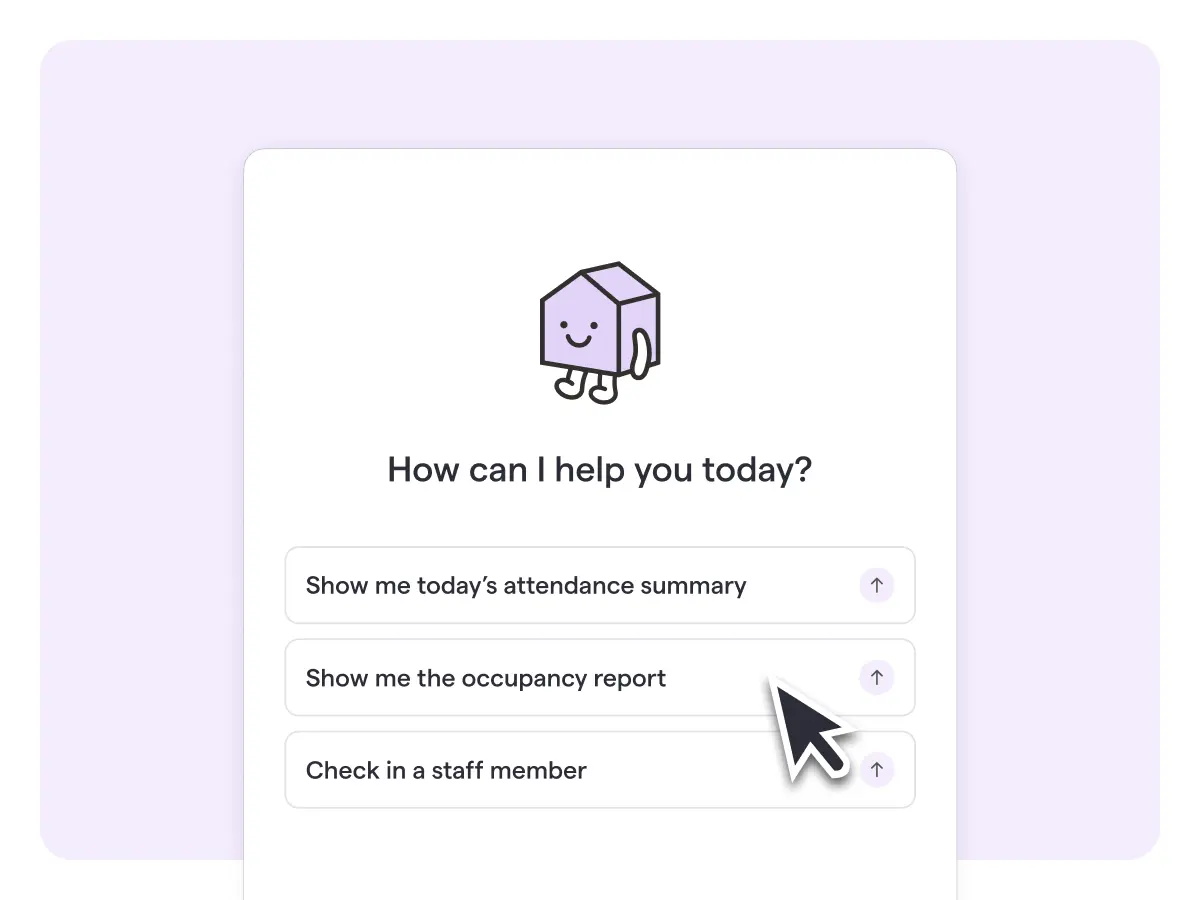
That morning swirl of activity is exactly why Famly rolled out Frankie, the friendly in-app AI helper designed to help you decide what to tackle first and helps you act on it.
And Frankie does something that ChatGPT or Gemini can’t do. Because it’s built into Famly, it already knows your center’s setup: your rooms, children, families, schedules and policies. You don’t have to bounce between tabs or paste a report into another AI and ask how to read it. You can even ask Frankie about the page you’re already on and help you find tools you don’t often use.
How to use these prompts
Treat these prompts as starting points for how you can use Frankie to simplify your workload.
- Where noted, replace placeholders in brackets [] with your company name, staff, details, and goals.
- Don’t forget to add any additional context to each of the prompts for stronger outputs. For example, tell Frankie how you usually follow up with leads, or which families prefer a phone call.
- If using Frankie, any of these can also run on a schedule. Add “every Monday at 8am” or “every weekday morning” and Frankie will bring you the results without being asked.
We hope they inspire you to come up with your own prompts that will help your childcare business.
Prompts to save time on enrollment
1. Inquiry review
Every new inquiry is a family who's ready to talk now, and the center that responds first with a clear answer about space usually wins the enrollment. A quick review makes sure no inquiry sits unanswered while you're busy on the floor.
"Review the enrollment inquiries we've received in the last [7 days]. For each family, check whether we have space in the right room for the days they've asked for, and recommend a next step for each inquiry."
What Frankie does: It checks each inquiry against per-day room capacity and attendance, then gives you a table with a recommended next action for every family. You don't have to cross-check spreadsheets.
Follow-up prompt: Ask "Which rooms have places to fill?" and Frankie will show where you have open spots now and where spots are opening up soon, so you know which families to focus on first.
2. Stale-lead flagging
A family that toured but never heard back often ends up enrolling somewhere else, and that lost spot can mean months of missed tuition. Catching leads before they go cold is one of the easiest ways to protect your occupancy.
"At my [location] center, which enrollment inquiries haven't had any activity in more than [14 days]? Show me who last followed up and when, and suggest a next step for each lead."
What Frankie does: It finds the families who have gone quiet, shows who acted last and how long the silence has lasted, and suggests a next step based on how your center usually works its leads. Running more than one site? Swap in another location, or ask about all of your centers at once.
Prompts to save time on childcare finances
3. Overdue-balance review
Overdue balances are easy to lose track of, and the longer they sit, the harder those conversations get. A regular review keeps cash flow steady and makes sure no family is surprised by a big bill.
"Which families have overdue balances? Sort them by urgency based on how old the debt is and whether they've already had a reminder. Draft reminders for the families who need one."
What Frankie does: It sorts families into three groups: who needs a reminder, who needs a phone call, and who's already been contacted. Reminders are ready to send as soon as you approve the wording.
4. Payment-failure follow-up
Not every failed payment means a family is struggling. Often it's just an expired card. But treating every failure the same way can either upset a family or let a real problem slide.
"Find any family payments that failed this [week/month]. Separate the card issues that are easy to fix from the real overdue balances, rank them by urgency, and suggest how I should follow up with each family."
What Frankie does: It finds failed payments, explains why each one failed, and ranks them by urgency. Then it offers the right follow-up for each family: a reminder, a message or a call. Click Schedule a call in the chat and Frankie creates a to-do with a due date and an assignee, so you remember to call that parent about the payment.
Bonus prompt: Before you run billing, ask: "Which children don't have a billing plan, bill payer or payment method, or have a plan that expires before [date]?" Frankie will list each gap, child by child, ranked by how much it would cost you.
A prompt to save time on staffing
5. Absence coverage check
When staff call out, the scramble to cover shifts can eat up your whole morning. And if a room slips out of ratio, it becomes a compliance problem too.
"Who's absent [today/this week]? Show me which shifts that leaves uncovered, whether each room still meets ratio, and who's free to cover."
What Frankie does: It checks logged absences and messages from staff, flags shifts that are uncovered or rooms that are out of ratio, and suggests cover staff. Once you confirm, it assigns the shift.
Prompts to save time on parent communication and classrooms
6. Inbox sweep
An unanswered message can quickly turn into a frustrated family, especially when the question was about their child. On a busy day, a few messages always slip through.
"Every day at [3pm], go through the inbox and find any parent messages nobody has answered. Rank them by urgency and how long the family has been waiting, and draft replies to the most important ones first."
What Frankie does: It surfaces the messages that slipped through the cracks, ranks them, and attaches a next step to each one: a drafted reply, a to-do or a note. You review and send.
7. Lesson plan and observation check
Missing lesson plans and observations are easy to miss until a family asks or an accreditation review comes up. Checking every week keeps every classroom on track and gives teachers time to catch up.
"Check each classroom's lesson plans for next week and make sure every child has had at least one observation this month. Tell me which classrooms are missing anything."
What Frankie does: It goes room by room and flags which classrooms are missing a lesson plan and which children don't have an observation yet. Then it offers to help fill the gap.
Say yes, and Frankie asks which classroom the plan is for and what theme you'd like. For example, pick your 2-year-old classroom and the theme "apple picking," and Frankie drafts a different apple-themed activity for each day of the following week. It then takes you straight to the draft, where you can:
- Send it to the room's teachers to review and edit
- Add more detail or edit the plan yourself
- Pull in activities from Famly's activity library
For any children missing observations, ask Frankie to draft a message to their classroom's staff asking them to log one this week.
For teachers: At the end of the day, teachers can ask, "What should I tell each family at pickup?" Frankie pulls each child's day from what was actually logged (check-in, meals, naps, diapers and observations) and drafts a handover note for any child who doesn't have one yet.

Prompts to save time on policies and planning
8. Morning briefing
Most directors start the day by checking five different places (or asking four colleagues) just to figure out what needs their attention. A morning briefing puts it all in one place before you've finished your coffee.
"Every weekday at [7am], send me a morning briefing for [center]. Include who's absent and any uncovered shifts, today's tours, failed or overdue payments, unanswered parent messages, and anything else that needs my attention today."
What Frankie does: It checks everything for you and sends a summary to your chat each morning, so you can walk in knowing exactly where to start. Tweak it to fit your role. For example, a multi-site leader might ask for one briefing that covers every center.
9. Policy questions
This one's a bit different. Rather than a prompt that saves directors and owners time, this is more a way that AI can save you time by allowing your team to access an AI tool to house your policies. How many times a week does a staff member stop by your office to ask a question that's already in the handbook? Uploading documents to Frankie (or whatever tool you use) saves leadership time, and staff get their answers faster, without hunting down the handbook and flipping through 100 pages.
"Are we open on Black Friday this year?"
Or try: "What's our policy if a child has a fever during the day?" or "How much notice do I need to give for a vacation day?"
What Frankie does: It answers from the documents you've uploaded, and cites where it found the answer, so staff can feel confident they have the right information. You can upload any documentation you'd like your team to follow, including:
- Parent and staff handbooks
- State licensing information
- Event calendars
- Curriculum, quality or compliance documentation

What else can Frankie do?
- Remember how you work. Frankie remembers your preferences, like "always write to this parent in Spanish." It also learns from your past chats and problems you've solved before, so you don't have to repeat yourself. You can review what it remembers, or turn memory off.
- Help you use Famly. Not sure where a setting lives? Ask Frankie how to do it, and it will walk you through it or take you straight to the right page.
- Answer questions about your data. From attendance to sickness logs, ask Frankie about anything in Famly.
- Work in 130+ languages. Speak or type to Frankie in your preferred language. It will respond back to you in that language. And if you’re someone who switches back and forth in a single conversation… that’s ok. Frankie can do that too!
A note on AI
We take security and transparency very seriously at Famly. That’s why we designed Frankie so that it never takes action without your confirmation first. It can draft, suggest and prepare, but you decide what gets sent or changed. Learn more about about Famly’s security certifications and compliance.
Plus, with customizable roles and permissions, Frankie only gives team access to the information that they are otherwise able to view. For example, teachers can’t view your finances, and your marketing consultant won’t get access to child data.
Whether you're using Frankie or another AI tool, follow best practices to protect children's data.
Give your time back to what matters
Frankie is designed to save owners, directors and teachers time. That means less time finding the right report, documenting processes, chasing down answers or trying to remember everything on your list, and more time in the classroom with children and your team.
You might also like

Get a personal demo now
Get a guided 1-on-1 tour of the whole platform. See what features are the best fit for you, and ask us as many questions as you like.
Book free demo
